What Does the CL Code Mean on an LG Washing Machine?
What is the CL code?
The CL code on an LG washing machine stands for “Child Lock.” It is a safety feature designed to prevent children or users from accidentally changing settings while the washing machine is operating.
When Child Lock is activated, the control panel may be locked and several buttons may not respond. Therefore, CL does not necessarily indicate a serious mechanical fault. It generally indicates that the Child Lock function is enabled.
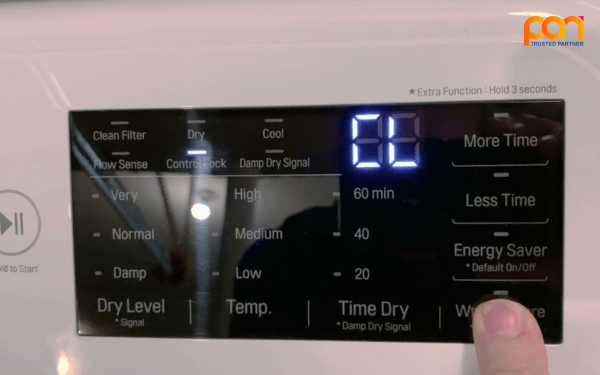
How to recognize the CL code
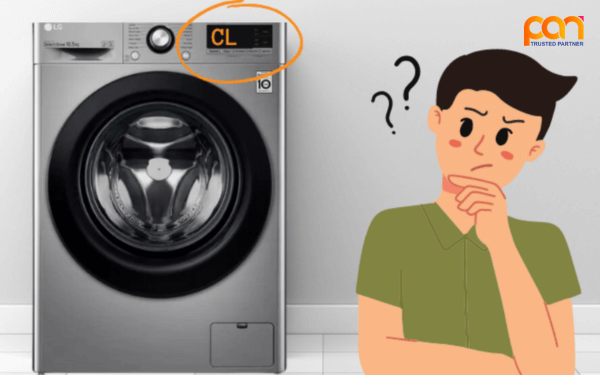
- The display shows CL or a lock icon.
- The control panel buttons do not respond normally.
- You cannot change certain washing programs or settings.
- The washing cycle does not start after selecting a program and pressing the start button.
Does the CL code damage the washing machine?
CL is primarily a control-lock status rather than an indication that the washing machine is damaged. However, while Child Lock is active, normal operation through the control panel may not be possible.
- Some washing programs cannot be selected or changed.
- Control settings cannot be adjusted normally.
- The washing process may be delayed because the machine cannot be operated as usual.
Causes of the CL Code on LG Washing Machines
The CL code usually appears when the Child Lock function has been activated. Possible causes include:
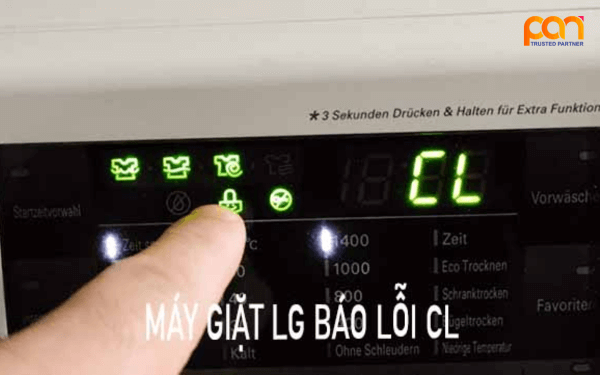
Child Lock has been activated
This is the most common cause. Child Lock may have been activated accidentally through a dedicated button or button combination on the washing machine.
Accidental operation of the control panel
On some models, Child Lock can be activated or deactivated by pressing and holding one or more buttons for several seconds. Accidentally performing the required combination can cause the CL indicator to appear.
Different settings between LG models
The method for activating or deactivating Child Lock is not identical on every LG washing machine. Depending on the model, the function may be assigned to a dedicated button or a specific button combination.
Possible control-panel or system issues
If the CL code remains after the correct Child Lock procedure has been performed for the specific model, the control system may require further inspection. Avoid opening or repairing the control panel without appropriate technical expertise.
How to Clear the CL Code on an LG Washing Machine
The procedure for disabling CL depends on the washing machine model. Before proceeding, identify the model and check its user manual.
Clear CL using the function button
- Step 1: Locate the “Child Lock” button, lock icon, or the corresponding function on the control panel.
- Step 2: Press and hold the relevant button for approximately 3–5 seconds or for the duration specified in the model's manual.
- Step 3: Check the display. If the CL or lock indicator disappears and the control buttons respond again, Child Lock has been disabled.
Clear CL using a button combination
Some LG washing machines do not have a dedicated Child Lock button. Instead, the function may be controlled by a specific button combination. For example, some models may use “Temp” and “Spin,” while other models may use different buttons.
- Press and hold the button combination assigned to Child Lock on your model.
- Keep the buttons pressed for the period specified in the user manual.
- Check whether the CL or lock indicator disappears and the control panel responds normally.
Restart the washing machine
If disabling Child Lock does not work, you can try restarting the washing machine:
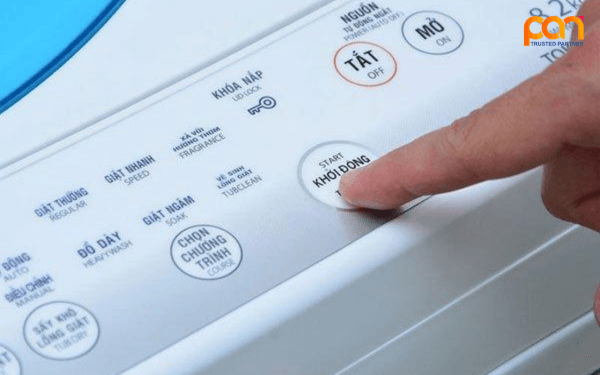
- Step 1: Turn off the washing machine using the Power button.
- Step 2: Disconnect the washing machine from the power supply for approximately 5–10 minutes.
- Step 3: Reconnect the power and turn the washing machine on.
- Step 4: Check whether the CL code or lock indicator is still displayed.
Use the app on compatible connected models
Some LG washing machines with smart connectivity may allow users to check Child Lock settings through an app compatible with the specific model. The available function and procedure may vary depending on the washing machine.
When Should You Contact a Technician?
If Child Lock cannot be disabled after following the correct procedure for your model, or if the control panel remains unresponsive, contact an authorized service center or qualified technician for inspection.
- Child Lock cannot be disabled despite following the correct procedure.
- The CL code continues to appear after restarting the machine.
- The control panel remains unusually unresponsive.
- Other error codes or abnormal operating symptoms appear.
Conclusion
The CL code on an LG washing machine is usually related to the Child Lock function and does not necessarily indicate a mechanical failure. Check the lock indicator, identify the correct washing machine model, and follow the manufacturer's instructions for disabling Child Lock.
If the CL code remains after the appropriate troubleshooting steps, contact an authorized service center or qualified technician instead of attempting to disassemble or repair the control panel yourself.
Contact Information
PAN TRADING JSC
📞 Hotline: (+84) 28 3840 2222 | 0919 302 879
📍 Address: 142 B2 Street, Sala Urban Area, An Khanh Ward, Ho Chi Minh City, Vietnam
📧 Email: contact@pantrading.vn
🌐 Website: pantrading.vn | thietbigiatcongnghiep.com